Aerodynamic and Hydrodynamic Performance
design software for Powerboats
Performance
Boat design and setup secrets for Recreational tunnels, Offshore Cats,
Racing tunnels, Fishing/Utility hulls, Vee and Vee-Pad
Hulls, Bass Boats
"I’ve tried other hydrodynamic analysis programs, even CFD modeling
software, and TBDP/VBDP is best performance prediction tool I’ve found
for commercial boat design. TBDP is flexible, handles any hull
configuration. Has amazing accuracy. They give outstanding customer
service and constant program improvements and updates. My favourite by
far!" [Jan 2024 - Shawn - MI, USA]
"Customer
service from AeroMarine Research is outstanding! Jim answers any
questions quickly and was willing to discuss any of my design issues as
I optimized performance using TBDP/VBDP software. Love the software and
the great support from Jim!" [P. Wilson, FL, USA, Sept 2024]
Extensive
help system, automatic data validation, video tutorials
Real-world
validated engineering methods
Trusted across commercial, recreational,
and racing projects
TBDP®/VBDP® is trusted worldwide for recreational, commercial,
racing and government projects
The
software is designed for:
patrol craft
ferries
workboats
pontoon/tritoon boats
cruisers
bass boats
RIB's
offshore cats
tunnel hulls
and modified tunnel boats
vee
and vee-pad hulls
high-speed yachts
The same engineering principles used to predict trim,
porpoising, and power requirements in racing boats also apply to
fuel efficiency, ride quality, stability, and spray drag in
commercial and recreational craftbass boats
Unlike general-purpose CFD workflows that
often require extensive setup and interpretation, TBDP®/VBDP®
delivers practical, directly usable performance predictions for
real-world design decisions.
The software focuses on actionable
engineering results - not just flow visualizations - while
avoiding the long setup times and computational demands typical
of many CFD approaches
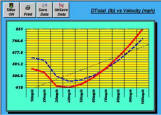
Complete Velocity Range Analysis: Many important handling and stability
problems occur during speed transitions rather than at peak speed
alone
TBDP/VBDP automatically evaluates the
full operating range to reveal changes in:
Lift balance,
Trim behavior,
Hhydro &
aerodynamic loading,
Wetted geometry, and
Stability conditions.
Identify:
Porpoising onset regions
Ttrim instability
Blowover sensitivity
Chine-walk onset regime
Optimized aerodynamic lift
Inefficient setup conditions
Abrupt handling transitions
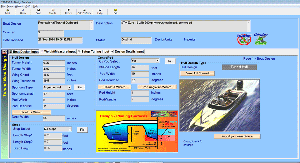
Easy Design Input:
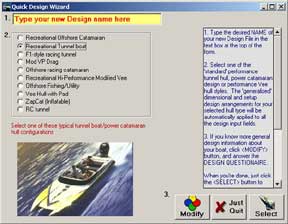
Quick Design Wizard - Optionally
start with one of template
hull types. Enter only key dimensions and the Wizard automatically generates
ther remaining inputs for your ready-to-analyze design.
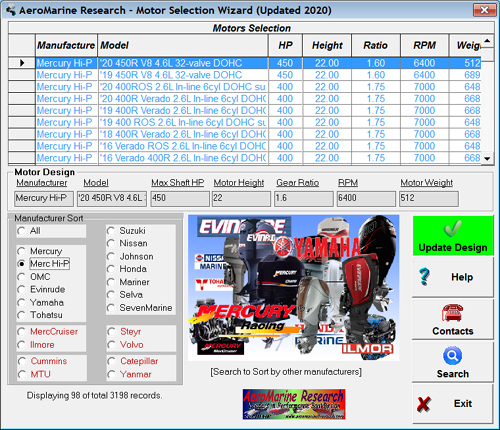
OEM Engine Selection Wizard -
Select from specifications of over
engines and integrate them directly into performance predictions.
Component
Estimate Wizards - each design component input has
optional 'Quick Estimate
Wizard' to auto-fill dimensional inputs based on your
design base.
User-friendly Interface:
No CAD experience required
Intuitive layout and fast computation
Suitable for both professionals and
first-time users Automatic input checking
Context-sensitive help system
Extensive Output, Easy to
Understand:
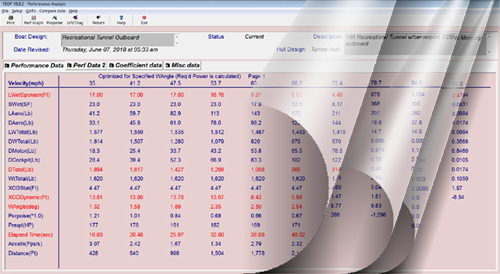
Generate over calculated data
outputs
and graphs
covering:
OEM engine selection wizard with specs
from over listed.
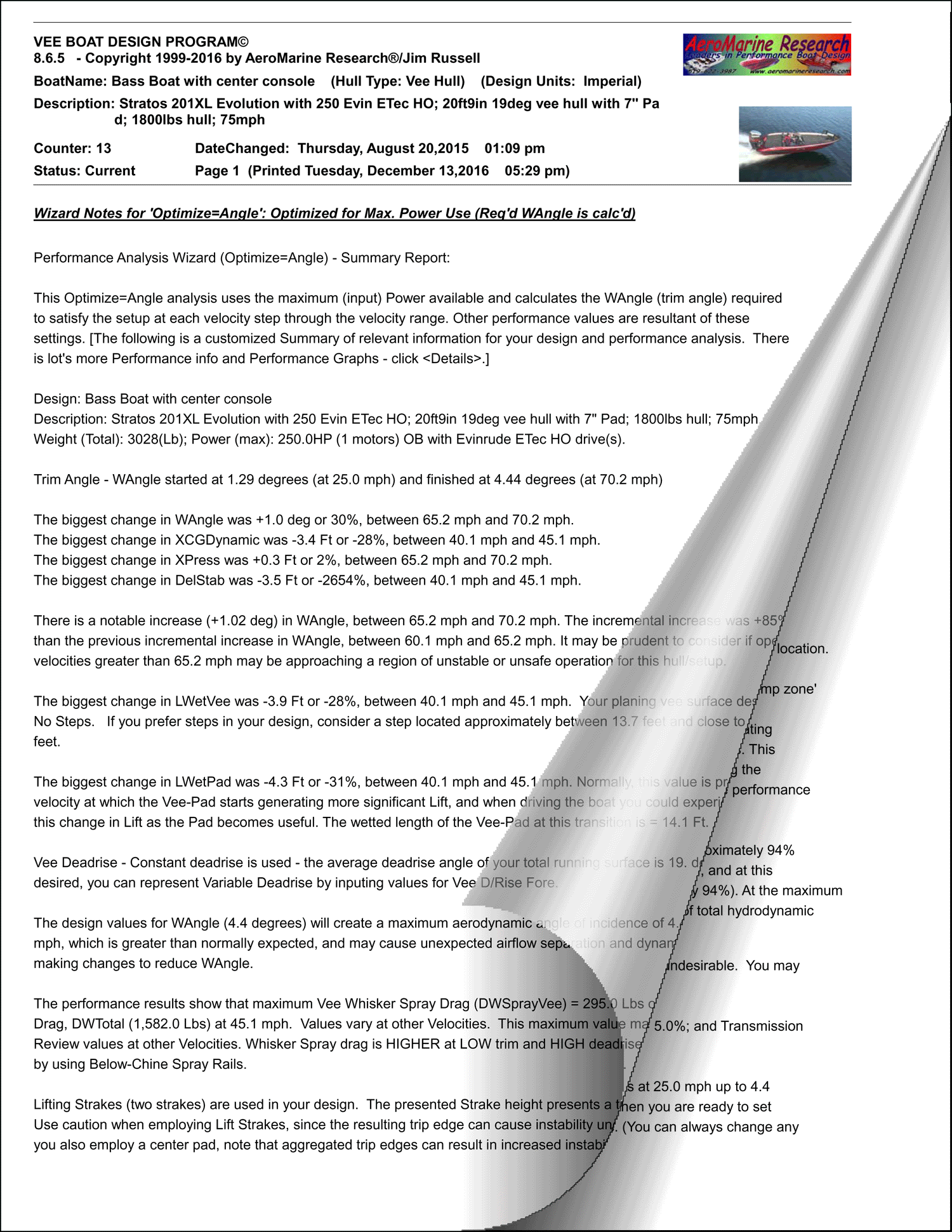
Custom Performance Analysis Report Wizard, unique
details for every design/setup.
Sept 2019 - "I just received my TBDP (Version
8.2), and I LOVE it! The new features are FANTASTIC! Thank
you AeroMarine [RJ, Australia]
"..Other software such as generic CFD (Computational Fluid Dynamics)
analysis software just don't get such meaningful or accurate results!"
[Markov, Croatia]
Specialized Powerboat Design Software: TBDP® was developed specifically for
powerboat design and performance prediction.
Not a
generic CFD package adapted for marine use
No
external plugins or post-processors required
No
simplified estimating shortcuts
Purpose-built engineering algorithms for planing hull analysis
Rather than relying heavily on
empirical simulation tuning factors, TBDP® applies first-principles
engineering methods developed specifically for realistic powerboat
prediction.
Advanced Parametric Hull Design:
TBDP®/VBDP®
is not simply a passive hull-surface analyzer.
It is an
active parametric design environment allowing designers to rapidly
explore:
explains engineering results in practical
language
identifies possible performance
limitations
suggests optimization opportunities tailored
to the design
Real-World Validation & Accuracy:
TBDP®/VBDP® development is based on decades of tunnel hull and
planing craft research, including:
lift distribution analysis
aerodynamic interaction studies
step effects
dynamic stability behavior
full-scale performance correlation
The
software has been refined using:
race boat testing
recreational craft data
real operating observations
engineering comparison studies
wind tunnel testing
water channel testing
AR®
maintains one of the industry's most specialized high-performance
research
programs.
Typical
predictive accuracy is approximately ±1% under properly defined
conditions.
What
TBDP® / VBDP® Can Do for You
Run optimized performance analysis using any
of
four detailed analysis modes:
1. Max Velocity/Test Velocity or 2. Trim Angles at Full Power or
3. Economy Mode (Lowest Power & Trim
Angle) or 4. Power Required for a specified Trim Angle.
Each mode provides results across the full velocity range.
“I just received my TBDP and I LOVE it! The new features are
FANTASTIC!” - RJ, Australia
“It saved me ten times the cost by allowing me to optimize
before building.” - Glenn L., Florida
“Easy for novices and powerful for experts. The help file is a
goldmine of performance knowledge.”
-
Greg
Terzian, Scream&Fly Magazine
"I highly recommend
the Tunnel Boat Design software. It allowed us to build a boat from
the ground up, and test it without having to build a prototype
first. .. it tested within 0.1 mph of the projected speed. - Mike
Breslin, Sport C World Champion
TBDP®/VBDP® combines
advanced engineering analysis, dynamic stability prediction,
integrated aero-hydrodynamic modelling, and practical usability
in a purpose-built powerboat design environment.
By combining first-principles engineering with AI-assisted analysis
tools, the software helps designers optimize speed, efficiency,
handling, stability, and overall performance across virtually all
planing hull types
For a complete feature list and the
latest version updates, visit [Feature
List]